In photography, the file format you choose can significantly influence your workflow and the final image quality. RAW and JPEG are the two primary formats available, each with its own strengths and trade-offs. Understanding what is raw in photography, how JPEG processing works, and when each format makes sense will help you make better decisions for every shoot.
What Is a RAW File?
A RAW file is the unprocessed data captured directly by your camera’s sensor. Think of it as a digital negative: it contains all the light information the sensor recorded, without any in-camera adjustments applied. No sharpening, no contrast curve, no color correction. Just the raw sensor data, stored at the full bit depth your camera supports (typically 12-bit or 14-bit, compared to JPEG’s 8-bit).
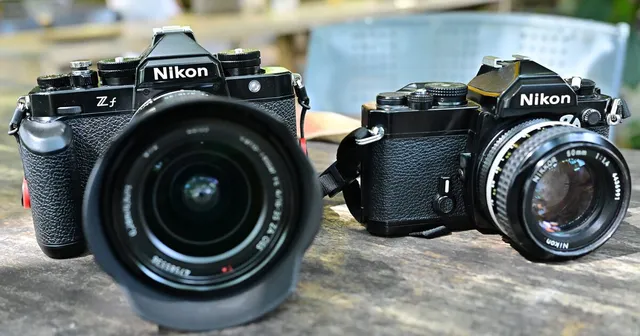
Every camera manufacturer uses its own RAW format. Canon shoots in CR3 (or CR2 on older models), Nikon uses NEF, Sony uses ARW, and Fujifilm uses RAF. Despite the different file extensions, they all serve the same purpose: preserving maximum data for editing later.
This matters because a 14-bit RAW file records 16,384 tonal levels per color channel, while an 8-bit JPEG records just 256. That difference is invisible when everything is perfectly exposed, but it becomes critical when you need to recover a blown-out sky, lift dark shadows, or correct white balance that was set wrong at the time of capture.
Benefits of Shooting in RAW
- Higher Image Quality: RAW files retain more detail and dynamic range, making them ideal for precise editing.
- Non-Destructive Editing: Editing RAW files doesn’t overwrite the original data, preserving quality even after extensive adjustments.
- Enhanced Control: Easily recover highlights, adjust shadows, and fine-tune white balance after the fact. With JPEG, these decisions are locked in at the moment of capture.
- Better Prints: The extra tonal data in RAW files produces smoother gradients and more accurate color, which becomes visible in large prints.
Drawbacks of RAW Files
- Large File Sizes: RAW files are typically 3 to 10 times larger than JPEGs. A 24-megapixel camera might produce RAW files around 25-40MB each, compared to 5-10MB for a JPEG. This adds up fast on memory cards and hard drives.
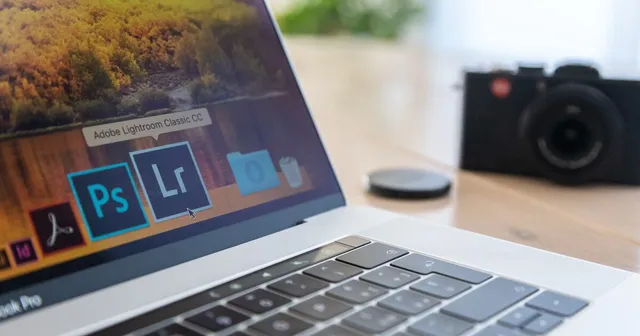
- Slower Workflow: RAW files require editing software like Adobe Lightroom, Capture One, or free alternatives like darktable or RawTherapee. You can’t just share them directly.
- Limited Compatibility: RAW files are proprietary to each camera manufacturer and need conversion before they can be viewed universally.
What Is a JPEG File?
JPEG (Joint Photographic Experts Group) is a compressed and processed image format. When your camera saves a JPEG, it takes the raw sensor data, applies your camera’s picture profile settings (contrast, saturation, sharpness, color tone), converts the result to 8-bit color, and compresses the file using lossy compression. The discarded data is gone permanently.
Benefits of Shooting in JPEG
- Smaller File Sizes: JPEGs save storage space, making them easier to manage and share. You can fit several times more JPEGs on a memory card compared to RAW files.
- Ready-to-Use: In-camera processing delivers files that look good immediately, with no editing required.
- Universal Compatibility: JPEGs can be opened on any device, uploaded to any platform, and sent to anyone without conversion.
- Faster Shooting: Some cameras have a larger buffer when shooting JPEG, allowing longer continuous bursts.
Drawbacks of JPEG Files
- Reduced Image Quality: Lossy compression discards data permanently. Fine details, subtle color gradations, and tonal information are lost in the process.
- Less Editing Flexibility: Pushing a JPEG too far in post-processing reveals artifacts, banding, and color breakdown. Recovering blown highlights or deep shadows is extremely limited compared to RAW.
- Decisions Are Baked In: White balance, contrast, and color are applied at capture time. Changing them later is possible to a degree, but never as clean as adjusting a RAW file.
The Editing Difference in Practice
The difference between RAW and JPEG becomes most obvious when something goes wrong. Consider a landscape shot where the sky is slightly overexposed and the foreground is too dark. With a RAW file, you can pull the highlights down by two stops and lift the shadows without visible noise or banding. The image looks natural because the data was always there, just hidden in the flat RAW file.
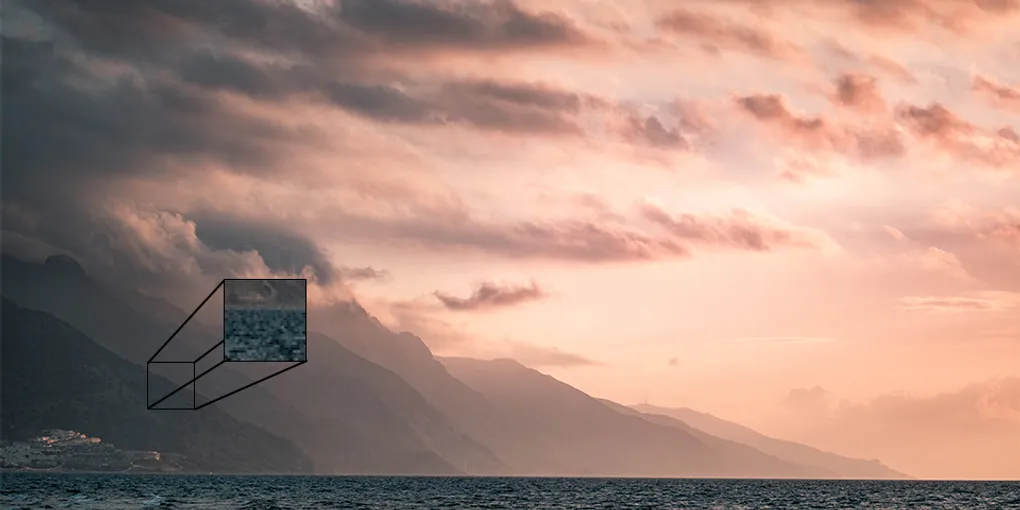
Try the same adjustment on a JPEG, and the recovered sky shows posterization (harsh color bands instead of smooth gradients), while the lifted shadows reveal noise and compression artifacts. The data simply isn’t there to work with.
This doesn’t mean RAW is always necessary. If your exposure and white balance are correct at the time of capture, the difference between a well-shot JPEG and an edited RAW file is minimal. RAW is insurance for when conditions are challenging or unpredictable.
Should You Shoot RAW or JPEG? Real Scenarios
The best format depends on what you’re shooting and what you plan to do with the images afterward.
When RAW Is Worth It
- Landscape and nature photography: Dynamic range is often extreme (bright skies, dark foregrounds), and you’ll want every bit of data for careful editing.
- Portrait and studio work: Skin tones benefit from the fine color control RAW provides, especially when adjusting white balance or creating specific color grades.
- Difficult lighting: Mixed lighting, harsh midday sun, backlit subjects, or any situation where exposure is hard to nail in-camera.
- Portfolio and print work: If the images will be printed large or displayed in a professional portfolio, RAW gives you the quality headroom to produce the best results.
- Learning photography: RAW is forgiving. You can fix ISO-related noise, white balance errors, and exposure mistakes that would be permanent in JPEG.
When JPEG Makes More Sense
- Event photography with fast turnaround: Wedding receptions, sports sideline delivery, press events. When clients need images within hours, JPEG’s ready-to-use nature is a real advantage.
- Casual and travel photography: Documenting a trip where you’ll share images to social media but won’t do heavy editing.
- High-volume shoots: If you’re capturing thousands of images (real estate walkthroughs, product catalog shots with controlled lighting), JPEG keeps file management practical.
- Storage constraints: When card space or hard drive capacity is limited and you need to maximize the number of shots.
Shooting in Both Formats
Many cameras allow you to capture both RAW and JPEG simultaneously. This provides the flexibility of RAW for detailed editing and the convenience of JPEG for immediate sharing or quick use. Shooting RAW+JPEG does fill your memory card faster, but it’s a practical middle ground when you’re unsure which images will need heavy editing and which are fine as-is.
RAW vs JPEG at a Glance
| Feature | RAW | JPEG |
|---|---|---|
| File size | Large (20-80MB per image) | Small (2-10MB per image) |
| Bit depth | 12-bit or 14-bit | 8-bit |
| Image quality | Maximum: uncompressed sensor data | Good: lossy compression applied |
| Editing flexibility | Excellent: non-destructive, full control | Limited: quality degrades with heavy edits |
| White balance | Fully adjustable after capture | Baked in at time of capture |
| Dynamic range | Wide: recover highlights and shadows | Narrower: less recovery possible |
| Compatibility | Requires editing software | Opens on any device or app |
| Best for | Professional work, serious editing, portfolio | Social media, quick sharing, casual shooting |
Conclusion
Both RAW and JPEG have their place in photography. RAW offers unparalleled control and quality, while JPEG provides speed and simplicity. The best photographers don’t pick one format for everything. They choose based on the situation: RAW when editing flexibility and quality matter, JPEG when speed and convenience take priority. By understanding the difference between RAW and JPEG, you can make that call confidently for every shoot.