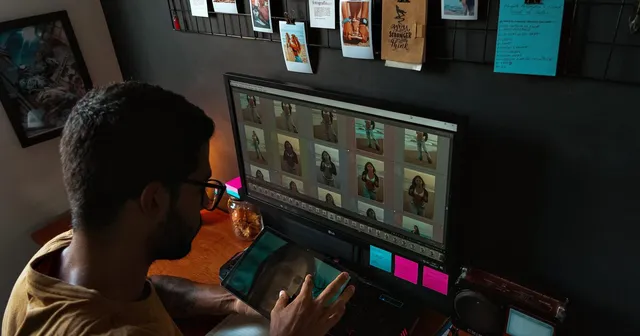

Photo culling is the process of reviewing every image from a shoot and selecting only the ones worth keeping, while discarding the rest. It is the step that happens after you import your files and before you start editing. A two-hour portrait session can easily produce 800 frames; culling is how you turn that pile into the 40 or 50 photos you will actually edit and deliver.
It is also the step most photographers dread, because it feels slow and decisions pile up. The fix is not to cull harder, it is to cull with a system. This guide explains what photo culling is, why it matters, and a repeatable workflow for culling photos quickly without second-guessing every frame.
Why Culling Matters
Culling protects the two things photographers run short on: time and credibility. Editing is the most time-consuming part of the workflow, so every photo you edit but never deliver is wasted effort. Culling first means your editing hours only go toward images that make the final set.
It also shapes how clients perceive your work. Delivering 600 near-identical frames forces the client to do the culling you should have done, and it buries your best shots in noise. A tight, well-chosen gallery reads as more confident and more professional than a bloated one. Strong culling in photography is quiet quality control: the viewer never sees the frames you cut, only the ones you stood behind.
There are four stages to a clean culling workflow. Here is the full picture before we break each one down:
| Step | What you do | The one question |
|---|---|---|
| 1. Back up | Import and duplicate originals | Are my files safe? |
| 2. First pass | Reject technical failures | Is this frame usable? |
| 3. Second pass | Flag the standouts | Is this one of my best? |
| 4. Final pass | Narrow to the deliverables | Does this earn a spot? |
1. Back Up Before You Cull
Culling is a deleting activity, so back up your originals before you touch anything. Import your files, then copy the full set to a second drive or cloud location. Once you know the originals are safe, you can reject and delete freely without the fear that one wrong keystroke loses a shot for good.
This is also the moment to decide what you are culling. Most photographers shoot RAW, and culling RAW files is faster when your software shows the embedded JPEG preview rather than rendering each file from scratch. If you are unsure which format you are working with or why it matters, the difference between RAW and JPEG affects both preview speed and how much latitude you have later in editing.
2. First Pass: Cut the Obvious Rejects
The first pass has one job: remove frames that are technically unusable. Move through the set quickly and reject anything that is clearly out of focus, badly exposed beyond recovery, or ruined by a blink or awkward mid-blink expression. When you shot a burst of near-identical frames, this is where you keep the best one or two and cut the rest.
Speed matters more than precision here. Do not pixel-peep, do not start imagining edits, and do not agonize. You are answering a single yes-or-no question, “is this frame usable at all?”, and trusting your gut. Most editing software lets you flag a photo as rejected with one key (the X key in Lightroom) and advance automatically to the next image, so a first pass on hundreds of photos can take just a few minutes. At the end, delete or hide the rejects so they are out of the way.
3. Second Pass: Pick the Standouts
Now switch from cutting to choosing. On the second pass you are looking only at the survivors, and the question changes to “is this one of my best?” Mark the frames that stand out: the sharpest shot in a series, the best expression, the moment with the most energy or emotion. These are your selects.
This is where comparing similar shots side by side pays off. When two or three frames are nearly identical, viewing them together at full size makes the winner obvious in a way that flipping back and forth never does. Most culling software has a dedicated compare or survey view for exactly this. Resist the urge to edit as you go; you are still just labeling, not adjusting.
4. Final Pass: Narrow to the Final Set
The last pass turns your selects into the delivery list. If you flagged 120 standouts but the session calls for 50, this is where you make the hard cuts. Look for redundancy first: two great frames of the same pose only need one. Then weigh the gallery as a whole, making sure you have variety in framing, expression, and moment rather than ten versions of your single favorite shot.
How many you keep depends entirely on the job. There is no universal number, though many photographers land somewhere between 10 and 30 percent of what they shot. Genre matters too; event and wedding work tends to keep a smaller share because of burst shooting, and deciding how many photos to deliver is part of setting client expectations before the shoot, not after.
Rating Systems: Flags, Stars, and Color Labels
Knowing how to cull photos is mostly about marking decisions consistently, and editing software gives you three tools for it. Pick one approach and use it the same way every time so your filters stay meaningful.
- Flags are the simplest: pick or reject, a binary yes-or-no. They are ideal for the first pass because there is nothing to overthink.
- Star ratings (1 to 5) let you grade quality, useful when you want to separate “good” from “portfolio-worthy” within your selects.
- Color labels are best for sorting by category rather than quality, for example tagging shots for a client gallery versus your own portfolio versus social media.
A common, efficient system is to reject with flags on the first pass, then rate the survivors with stars on the second. Whatever you choose, the point is consistency. A rating system only saves time if “three stars” means the same thing in every shoot you cull.
AI Photo Culling
AI photo culling has matured quickly, and tools like Aftershoot and Narrative Select now handle much of the first pass automatically. They scan a set to detect blur, closed eyes, and duplicates, group near-identical frames, and suggest the sharpest, best-exposed shot in each group. For photographers who shoot thousands of frames per event, this can cut hours off the most tedious stage.
The limits are worth understanding. AI is reliable at catching technical failures, but it cannot judge timing, emotion, or which slightly-imperfect frame tells the better story. A photo with soft focus might still be the keeper because of the expression, and software will often reject it. The practical approach is to let AI photo culling do the brute-force first filter, then make the creative selects yourself. It speeds up the work; it does not replace your eye.
Common Culling Mistakes to Avoid
A few habits quietly slow culling down or weaken the final set:
- Editing before you finish culling. Tweaking exposure on a photo you might cut is wasted time. Decide what stays first, then edit.
- Pixel-peeping too early. Zooming to 100 percent on every frame in the first pass turns a five-minute job into an hour. Save close inspection for the final pass on shots you have already chosen.
- Re-culling endlessly. The fourth and fifth review rarely improves the set; it just delays delivery. Trust your earlier passes and move on.
- Deleting rejects permanently too soon. Hide or flag rejects rather than emptying them immediately, at least until the gallery is delivered, in case a client asks for an alternate frame.
From Culling to Delivery
Culling is the bridge between shooting and delivery, and a clean cull makes the final handoff effortless. Once you have your set chosen and edited, the last step is getting it to the client in a way that matches the care you put into the selection. A tight gallery of your strongest work deserves a presentation better than a folder of files, and the best way to share photos with clients covers that handoff in detail.
This is where a dedicated gallery platform like Picstack fits: you upload the culled, edited set and share it as a clean, organized gallery the client can view and download from a single link, no file dumps or compressed attachments involved.
Done well, photo culling is invisible. Clients never see the frames you cut, only a confident, well-edited gallery that looks like everything went right. That is the whole point: cull with a system, deliver only your best, and let the work speak without the noise.